I’m really trying to adhere to the process of writing about the process whenever I update this project. Like I discussed a few days ago, the ease with which I make updates conversely makes writing about those updates harder because I’m less invested in them. I made a ton of changes to the project yesterday, and while there were several more changes I wanted to try my hand at as soon as I logged on this afternoon, I made sure finishing up yesterday’s dev log got higher priority. That writeup took me a few hours and now I don’t think I’ll be able to get ambitious with things today. Therefore, instead of sending Claude at some high-priority tasks such as improving this blog’s theme or making the energy ball more visible in periods of higher motion, I’m gonna start with a few easy ones, write about them, and then see if I have any time left over. But before even writing about that, I want to mention an error I ran into when digging through last night’s session transcript: idle compaction.
Typically, when I resume a large Claude session, it asks me if I want to compact to save tokens. However, I didn’t close the session window before hibernating my machine last night, and found out that Claude compacted the session without asking me. This is a problem, especially for a Claude Max high roller such as myself who can sustain some token bleed. The fix is setting idleCompaction: false in Claude’s settings. Luckily, the full session transcript was still recoverable either way.
First up: making the Kinect skeleton line thickness scale with bodyScale.
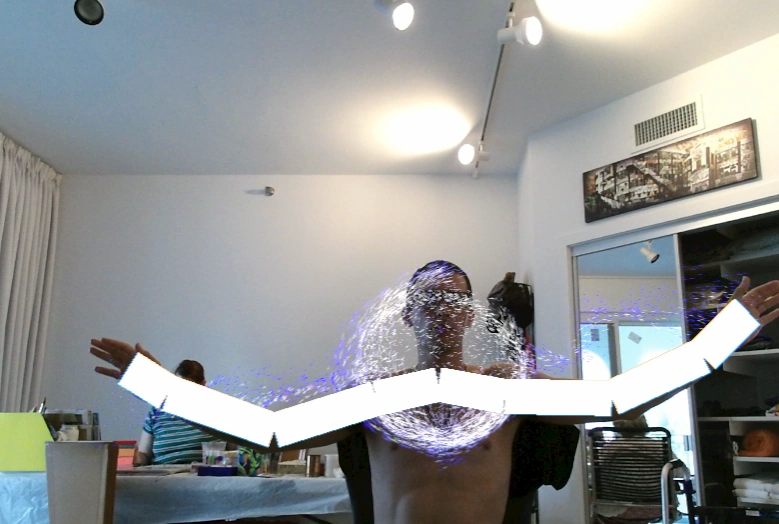
That was a one-prompt fix. I also added a skeleton line thickness field to the scene settings menu.
Next up: making particle occlusion by the point-cloud optional. Another one-prompt fix. I also moved the settings from the BodyDepthOccluder into scene settings because, um, they’re scene settings.
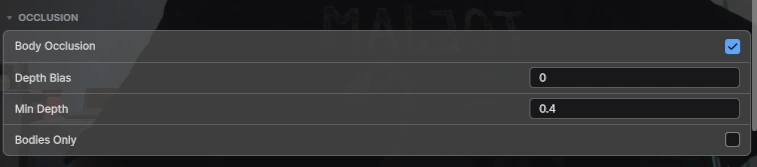
Next up: grabbing some footage of the body occlusion feature for social media.
I struggled a lot with this because the camera tracking wouldn’t seem to lock onto my body. It seemed so bad, in fact, that I double-checked Kinect Studio, and to my surprise, the tracking seems to be just fine over there.
This is actually good news! If the tracking is good outside my project, this means all I need to do is fix the tracking inside my project. This is now my new number 1 most urgent task.
That’s all the time I have today folks!
Tags: kinect body-tracking workflow ai project-management ui