I thought about my particle swirling problem some more and learned proper terminology. The tangential velocity of the particles relative to the body needed to get modified without affecting their radial velocity. In other words: keep particles more directly in line with their direction from the hand to the body, without making them move more quickly towards the body.
Claude’s first attempt didn’t look right, but unfortunately, I neglected to capture footage. It was apparent particles were being forced to travel more in line because the initial spawnVeloSpread had to be increased, but they didn’t seem to correct much as the body moved in response to movements from the hand. I hypothesised that I needed to be factoring in the velocity of the body rather than just its current position when calculating what velocity to add to the particles. Claude caught my drift, transforming the sphere’s Rigidbody component’s linear velocity into local space using Transform.InverseTransformVector and sending it into the VFX Graph as an exposed param so that we could factor in the particle’s velocity relative to the body’s velocity.
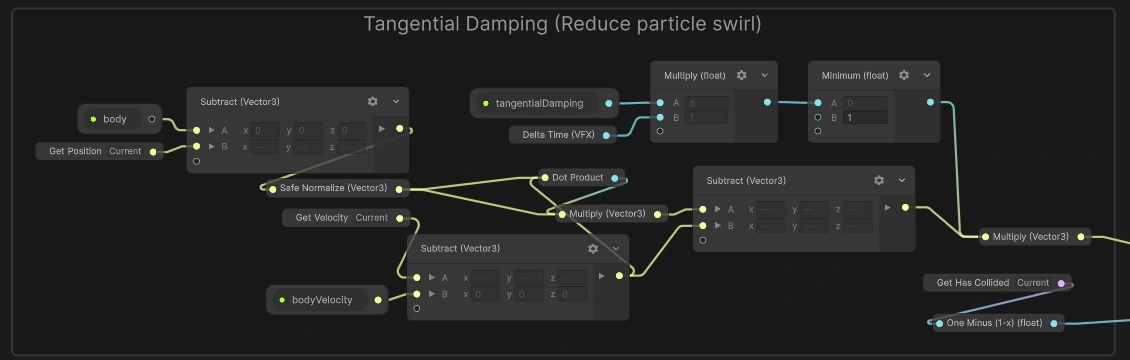
I’m very satisfied with the results, as the ball is much easier to follow now even during periods of heavy motion.
Notice that I disable this effect on particles that have already collided with the SDF—I find that unless I do this, the movement of the particles around the SDF looks unnatural.
Even better idea…instead of gating damping based on whether particles have collided, gate it based on how close particles are to the sphere.
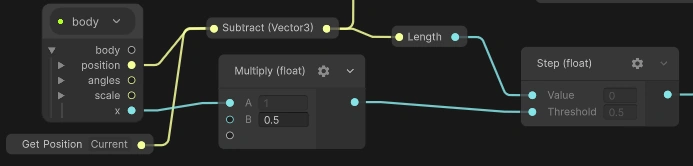
Now I’ve gone through two separate sessions where I played around with the VFX Graph CLI I built. On both occasions, the agent didn’t bother making the graph human-readable, thereby requiring me to reposition all the nodes after it finished working. Not any more, Satan! I had Claude add canvas node positioning and the ability to add organized nodes to groups into the CLI, as well as updating agent instructions to keep the canvas readable, place things where the logic flows, and check the layout before marking a task complete. The unity-cli dev still hasn’t merged my VFX graph branch into main, and I haven’t exactly advertised my creation anywhere, so it’s likely I’m still the only one using this insanely handy tool.
Alas, I can’t begin to describe how excited I am to have Claude in the mix now for my VFX work. What it worked on today is something that would have been very difficult for me to do on my own. I spent over a week on the VFX Graph CLI harness back in June knowing that if I pulled it off, my future work in this project would get 10× easier. Smarter, not harder, folks.
Tags: vfx vfx-graph physics claude automation optimization unity