I had Claude install the Unity CLI Bridge into the original Energy Ball V1 project and then recreate my dummy testing environment in there so I could have an easier time observing how the physics of the particles differ from my current version. By changing the CLI bridge port in my V3 project to a different port than the default V1 was configured to use, I was able to have my agent use the CLI to analyze V3 while building in V1.
Right off the bat, I notice that I don’t set any initial velocity in V1. In V3, I use this to spread the particles as they leave from the hand so that they don’t all move in a straight line towards the center of the metaball; however, in V1, they seem to do this anyway.
Compared against V3:
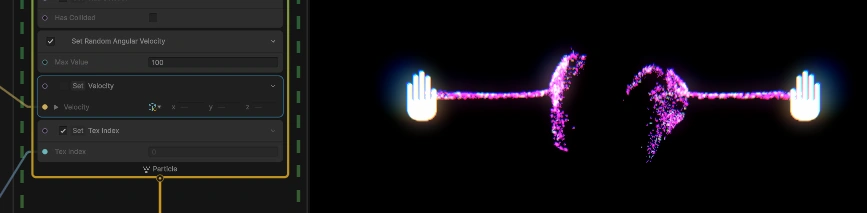
Weird, right? My experience tells me this is related to attraction speed, but I can’t quite get it to spread no matter what values I set. My next guess was that perhaps there was a bug (or an intentional feature) causing the Attractor Shape Signed Distance Field block to behave differently than the Attractor Shape Sphere block. After swapping to the latter, the linearity of the particles was even more pronounced.
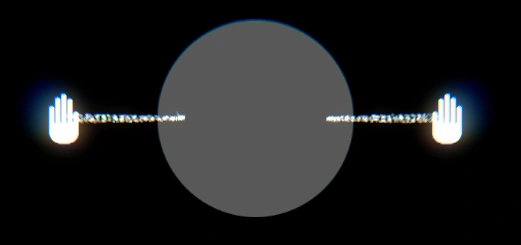
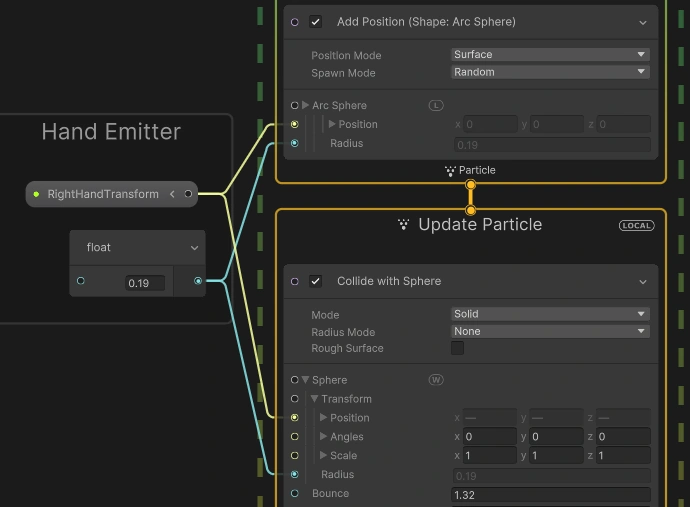
Much ado about nothing. Turns out that the spread in V1 is generated by an additional Collision Sphere block in the Update context. Different method, similar result to my velocity spreader in V3.
The main thing I’ve been trying to fix in V3 that wasn’t a problem in V1 is the ugly particle swirling during motion. The energy ball completely disappears when the user moves the ball around quickly, which should absolutely not happen. Here’s how particles swirled in V1:
Although there’s plenty of outer swirl, the main sphere shape never disappears. Compare this to V3:
A few things seem to be at play here. First of all, the sphere definitely looks like it’s moving off-center more easily during motion.
Yup. That’s a physics tweak. Stylistically, though, V1 looks better for several other reasons:
- Finer particles, and more of them
- Particles are scaled along the correct velocity vector
- Particles near the center of the sphere are a different color and make its shape more easily distinguishable
I now have a to-do list.
Well, V1 and V3 both spawn the same amount of particles (1500/s), so the difference I perceived was an illusion. Onwards.
Sometimes, all it takes to fix a bug is to not work on fixing it for a very long time. Last August, I noted that angular velocity was necessary to prevent particles from disappearing near the hands. I blamed Unity at the time, and I must have been correct in my accusation, because I can turn off angular velocity now without issue. Without my initializing the particles with a random angular velocity, I’m now able to correctly scale them along their velocity.
It probably didn’t help that I wasn’t clamping the velocity length to a minimum of 0.01. Doing that now (after noticing I did this in V1).
I thought it might help if I added velocity to the particles that made them move towards the center of the sphere, which presented me with a perfect opportunity to test out my VFX graph CLI skill.
Prompt
I need you to make an edit to my HandEffects vfx graph. Make it so particles constantly move towards the position of the body transform like heat-seeking missiles and do so without hard setting velocity, meaning I want you to use the currently empty “Add Position” block at the top of the update context to do this. It’s imperative we don’t use a set position or set velocity block because there are many other forces affecting the particles that we don’t want to cancel out. I mainly want to correct particles that are not moving in the right direction (towards body), so particles already pretty much moving towards body should not get as much velo added to them as particles moving away from body. Actually, I don’t even want to correct particles that are completely moving away from body — I most want to correct the ones that are sort of pointed towards it but not quite. First, come up with a strategy for doing this and then implement. If you need to access the latest vfx graph docs, you can probably use your find-docs skill, but, as this is just vector math, I’m pretty sure you’ll be fine
I ended up with this, which, given its usage of dot products, makes no sense to me, but then again, I just work here.

I had Claude tweak the angles a bit and am happy with the progress.
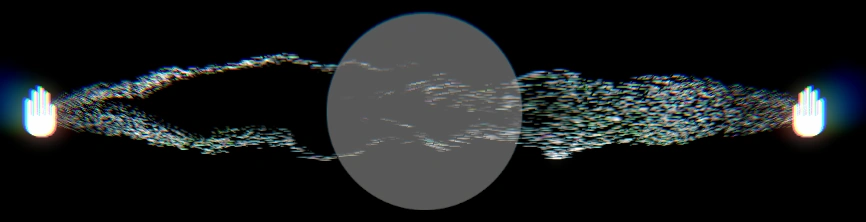
Still, this guiding system feels supplemental to whatever the real fix would be. I’d probably benefit more from a guiding system that works only in the early stages of a particle’s life because when the hands move rapidly, the particles on their way to the center sphere don’t course-correct quickly enough and this causes them to swirl around.
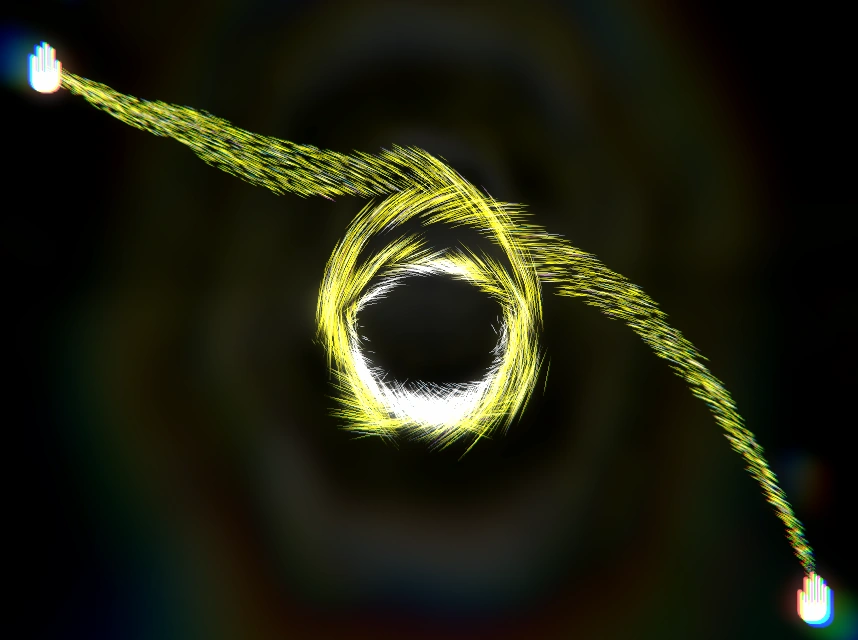
I’m not yet sure how to engineer this fix so I’ll sleep on it (which I need to do; it’s almost 2 AM). By the way, you might notice the center particles in the above photo being whiter than the rest. Ergo, my first-pass attempt at differentiating the sphere using color and position.
