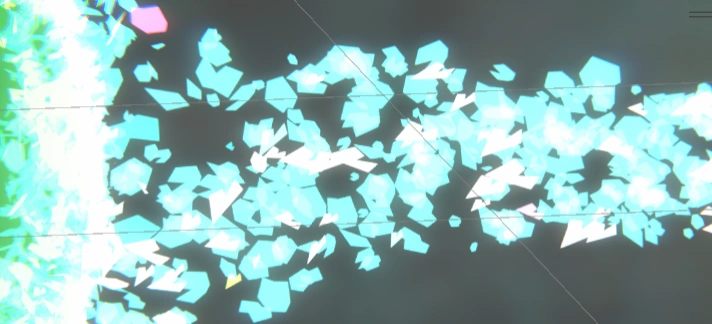
Been trying to figure out why the particle initialization animation doesn’t play when resetting the sphere’s position after a stint out of bounds. Claude said it should be working, so I decided to check the animator.
All looks good there. So why does the animation look different when the hands first open? I stayed put, restarted the scene, and peeked at the animator again.
Hmmm, so I’m completely bypassing the initialization animation during initialization. I’m sure this was intentional, and I’m sure that if I read back several dozen posts, I’ll find out why I did that. Eh, I’d rather just debug—why does skipping the animation entirely lead to better animation?
Turns out the Init animation has 0 keyframes. It’s totally blank, but in my code, I’m crossfading it into the Open animation like this:
public IEnumerator PlayLeftHandOpenAnimationDelayed()
{
	leftHandAnimator.CrossFade(initializeClip.name, 1f);
	yield return new WaitForSeconds(1.0f);

	if (leftHandState == HandState.Open)
	{
		leftHandAnimator.CrossFade(openClip.name, 1f);
	}

	leftHandOpenCoroutine = null;
}
Therefore, I’m really just playing half of an animation when I crossfade from initializeClip into openClip. Oops. This is a vestige from the days when I had an actual initialization animation. Now, the entire initialization of the particles is handled dynamically with animation curves in the VFX graph itself. Alas, I can get rid of the initialization animation entirely.
Instead, I’ll alter the speed at which openClip plays to differentiate between a fresh opening of the hands and an active one. I’ll do this by adding a parameter to my Animator.
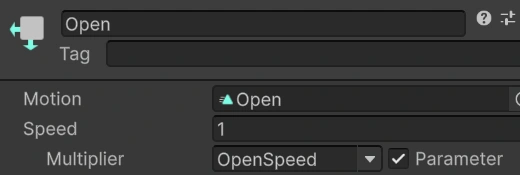
Now I can programmatically alter OpenSpeed to be smaller when I want to simulate initialization. At 4% of the regular animation speed, I get a smoother (or at least slower) first movement of particles towards the sphere.
I made initialization feel more dynamic by offsetting the initial position of the sphere from the midpoint by a random vector, which creates instant motion.
It was time to crush some todos.
I fixed the player color randomization system. ChoosePlayerColor was only avoiding the last assigned color, not colors currently in use by all active players. One prompt, one kill.
I enabled custom colors for the open hand effects. The particle colors are derived from a gradient that plays over the lifetime of the particles, so I couldn’t just assign that gradient to the emissive color input for the output particle meshes. I sampled the gradient using a random value between 0-1 to spice it up. Then, to add even more flair, I used a comparison node to make it so a small percentage of particles spawn with random RGB values.
It’s really a shame I never got Keijiro’s shard meshes fixed in the main VFX graph. Those used to look so sick, and I still have no idea what broke them. What’s crazy is that they work fine in the other VFX graph trees in the same VFX asset containing the main one they don’t work in.
After rubbing my hands together, I found a new solution—a sprite atlas. I quickly drew some jagged shapes on a 3x3 grid in Photopea, imported it into Unity as a sprite, and then set the output quad’s UV mode to flipbook. Then in the Initialize Particles block, I gave each particle a random texture index. Viola!