I relaxed over the long weekend and let the idea for a method of properly capturing the scale of the mesh that results from the combination of a given number of metaballs slowly cook on the back burner of my brain. The biggest issue with the data I collected last Friday was the low resolution of scale increments that resulted from deriving my scale from an analysis of the low-res marching cubes voxel grid. Gradually, I realized that analyzing the voxel grid was not the move and that my eyes did a much better job of choosing the proper scale for my sphere compared to the combined metaballs than my algorithm did. When I could see the flat, unlit sphere on top of the metaball mesh, it meant my sphere was larger, and when I couldn’t see it, the opposite was true.
To make my algorithm work more like my eyes, I needed to get the pixel data on the screen. Therefore, I created a script to read the pixel data from a render texture that a camera fed to and compared the color of a pixel in the center of the game view to the color of the comparison sphere’s material. If the colors matched, then the sphere was larger. And because I only needed to read a single pixel’s color data, the script actually ran in real time!
With accurate data collected, I turned to ChatGPT for some help building a model to determine the combined size for any combination of 2-6 metaballs of various radii. Since I’ve been taking a course on this stuff, I actually understood nearly all the code!
Epoch 0/1000, Loss: 4.101675987243652
Epoch 100/1000, Loss: 0.004486877005547285
Epoch 200/1000, Loss: 0.002015921985730529
Epoch 300/1000, Loss: 0.001185260945931077
Epoch 400/1000, Loss: 0.0008319763001054525
Epoch 500/1000, Loss: 0.0006529748789034784
Epoch 600/1000, Loss: 0.0005650245002470911
Epoch 700/1000, Loss: 0.0005058838287368417
Epoch 800/1000, Loss: 0.0004656313976738602
Epoch 900/1000, Loss: 0.0004306936461944133
Just look at that microscopic loss!
I began manually testing predicted output sizes in my scene.
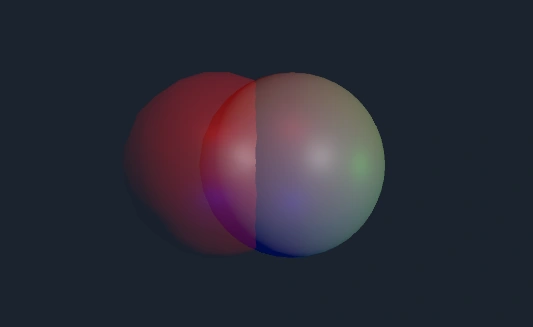
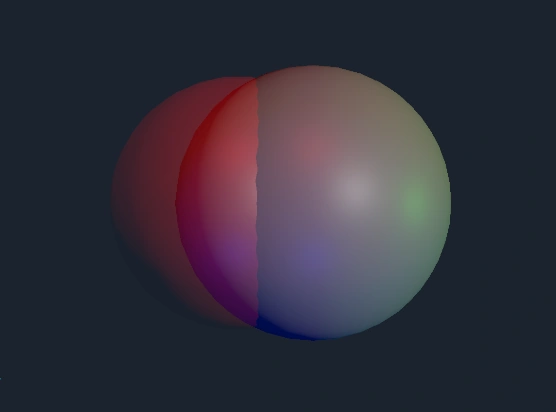
As I began to test with larger radii, I started seeing some incorrect predictions. This is probably due to the fact that I only collected data on small radii (max 2 units). Bumping some of the radii above that maximum brought me inconsistency. Looks like I need to collect more data!
Trained the model with some larger radii and now my data is looking correct.
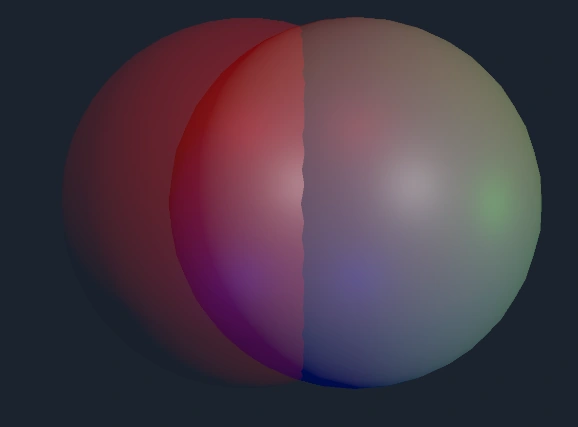
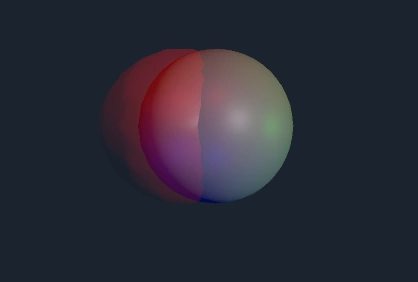
Now I’m sure enough that if I start noticing discrepancies between the predicted size and actual size, I just need to feed my model a better sample.
I tried using my model inside Unity with the new ML Agents package. Unfortunately, documentation is sparse enough that ChatGPT and Claude both steered me into broken scripts. Of course, since I never bothered fixing the broken link between Unity and my code editor, I wouldn’t realize the scripts were broken until saving the changes and going back to Unity. After fussing around for over 40 minutes with no luck, I decided to finally fix the editor issue. It was as simple as going to Assets→Open C# Project. Now I have intelligent error detection again!
If there’s anything to be learned here, it’s to fix any workflow issues before coding. A messy environment leads to messy code.